How to Create an Account at Snatch Casino in the UK
Blog
Opening an account is usually the first step for UK players who want to explore Snatch Casino. The process is designed to be completed online, but registration is only one part of getting started: you should also check that the service is legally available to you, read its terms, and understand how deposits, withdrawals and identity checks work before paying in.
This guide explains how to approach registration, what details you may need, and what to consider before playing. Casino websites can change their layouts, promotions and eligibility rules, so treat the information on the site itself as the final source. GB Snatch UK Trusted
Before you register
First, make sure you are legally allowed to gamble online. In Great Britain, online gambling is restricted to people aged 18 or over. Do not create an account if you are underage, located somewhere the operator does not accept, or unable to meet its identity-verification requirements.
Check the casino’s legal information before submitting personal details. Look for the operator’s full company name, licence details, terms and conditions, privacy notice, and information about responsible gambling. You can check a licence claim against the UK Gambling Commission’s public register. A website’s branding or a promotional badge is not, by itself, proof that it is licensed to serve customers in Great Britain.
It is also worth reviewing the payment methods available to you. UK rules prohibit gambling businesses from accepting credit cards for gambling, and the methods shown may depend on your location and account status. Read the cashier information, including any minimum deposits, withdrawal limits, processing times and fees.
How to create an account
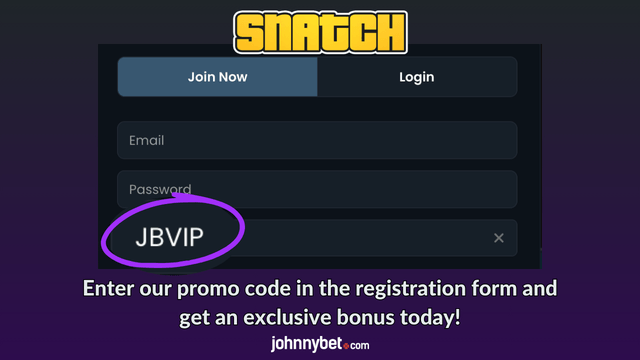
- Open the official website. Type the address yourself or use a verified link from a source you trust. Check the domain carefully, especially if you arrive through an advert, message or search result. Avoid lookalike pages and never share your password through email or chat.
- Select the registration option. Look for a button labelled “Register”, “Sign Up” or similar. The exact wording and page layout may change. If registration is unavailable, do not try to bypass the restriction with false information or location-masking tools.
- Enter accurate personal details. The form may request your name, date of birth, home address, email address and phone number. Use your legal details and make sure they match your identity and payment information. Incorrect details can delay verification or prevent withdrawals.
- Create secure login credentials. Choose a unique password that you do not use on other sites. If the casino offers additional account security, consider enabling it. Do not save credentials on a shared device, and sign out when you finish using one.
- Review the terms and privacy information. Read the account rules, bonus conditions, data-use notice and responsible-gambling options before accepting. Pay particular attention to age and location restrictions, identity checks, account closure procedures, and any conditions attached to offers.
- Confirm your contact details. The site may send a verification link or code by email or text. Use the genuine message from the casino and do not disclose a one-time code to anyone who contacts you unexpectedly.
- Complete any requested checks. The operator may ask for documents to verify your identity, age, address or payment method. Follow the instructions in your account and submit documents only through a secure, official channel. Verification may be required before depositing, withdrawing or using certain features.
Information and documents you may need
Registration forms commonly ask for basic contact and identity details. Later, the operator may request proof of identity, such as an accepted photographic document, and proof of address, such as a recent statement or bill. The precise documents, formats and time limits vary, so check the instructions provided in your account rather than sending extra material without being asked.
Make sure uploaded images are clear and complete, but do not alter them. If your address or name has recently changed, contact support through the site’s official channel to ask what evidence is acceptable. Never send identity documents to an unsolicited address or to a person claiming they can “speed up” verification for a fee.
After registration: verify, set limits and check the cashier
Once your account is created, sign in and review the profile details for errors. Complete any outstanding verification steps and explore the responsible-gambling controls before depositing. Depending on what the site provides, these may include deposit limits, time reminders, time-outs or self-exclusion. Choose limits that fit your budget and circumstances; gambling should never be treated as a way to make money or recover losses.
If you decide to deposit, use a payment method in your own name and check the amount carefully. The cashier should explain available methods and any relevant limits. Never deposit money you need for rent, bills, food or other essential costs. If you feel pressured to keep playing, stop and seek support rather than adding more funds.
Before accepting a welcome promotion, read its terms in full. Check eligibility, opt-in steps, minimum deposit, wagering requirements, game restrictions, maximum bet rules and expiry dates. A bonus is not cash in your account, and withdrawing before meeting the terms may affect the offer or related winnings. If anything is unclear, ask support for an explanation in writing before opting in.
Registration checklist
- Confirm the site is legally permitted to offer gambling to players in your location.
- Check the operator’s identity and verify any UK licence claim independently.
- Use your real details and a unique, strong password.
- Read the privacy notice, account terms and payment rules.
- Complete age and identity checks using the secure process provided.
- Set limits before gambling and only use money you can afford to lose.
- Review bonus terms before opting in or making a deposit.
Common registration problems
The verification email or code does not arrive
Check your spam or junk folder, confirm that the email address or phone number was entered correctly, and wait a short time before requesting another code. Avoid repeatedly submitting requests, as this can sometimes trigger temporary restrictions. If the problem continues, use the casino’s official support channel.
My details do not match
Small differences between your registration details and documents can delay checks. Review spelling, date of birth and address carefully. If you made a genuine mistake, ask support how to correct it; do not create a second account to work around the issue unless the operator explicitly instructs you to do so.
My account is restricted or verification is pending
Operators may restrict accounts while they complete checks or investigate a payment. Follow the instructions provided and keep copies of relevant communications. Do not try to bypass a restriction by opening another account or using someone else’s payment details. If you cannot resolve the matter, use the operator’s formal complaints process and consult the relevant regulator or an independent advice service where appropriate.
Questions and answers
Can I register if I live in the UK?
That depends on whether the operator is authorised to accept customers in your specific location and whether its current terms permit registration there. Check the site’s eligibility rules and the relevant regulator’s register before creating an account. Do not rely on a search advert or a third-party review as confirmation.
Is registration the same as identity verification?
No. Registration creates login details and provides initial information. Verification is a separate process in which the operator checks details such as your age and identity. A casino may request documents at a later stage, and an account may have limited functionality until required checks are complete.
Do I have to accept a bonus?
No. Promotions are generally optional. If you are unsure about the conditions, do not opt in until you have read them and understand how they affect deposits, play and withdrawals. You can contact support for clarification.
What should I do if I decide I no longer want an account?
Look for account closure, time-out or self-exclusion options in the responsible-gambling section, or contact support through the official site. If you want a stronger barrier to gambling, ask about self-exclusion and consider independent support services. Simply uninstalling an app or deleting a shortcut does not necessarily close an account.
Play responsibly
Creating an account should be a deliberate choice, not a rushed response to a promotion. Take time to verify the operator, understand its rules and decide whether gambling is appropriate for you. Set firm limits, take breaks, and stop if play becomes stressful or affects your finances, work or relationships. If gambling is causing harm, contact a trusted person or a recognised support organisation in your area. You can also use available blocking tools and self-exclusion services to create distance from gambling.
In short, a careful registration means using the official site, providing truthful details, completing verification securely and checking the rules before depositing. If any part of the process seems unclear or unsafe, pause and seek reliable information rather than proceeding.